Official Website of the Commonwealth of Pennsylvania
Purpose: Use this guide to register a new business in Pennsylvania (e.g., LLCs, Corporations, Fictitious Names, Partnerships, etc.) using Business Filing Services.
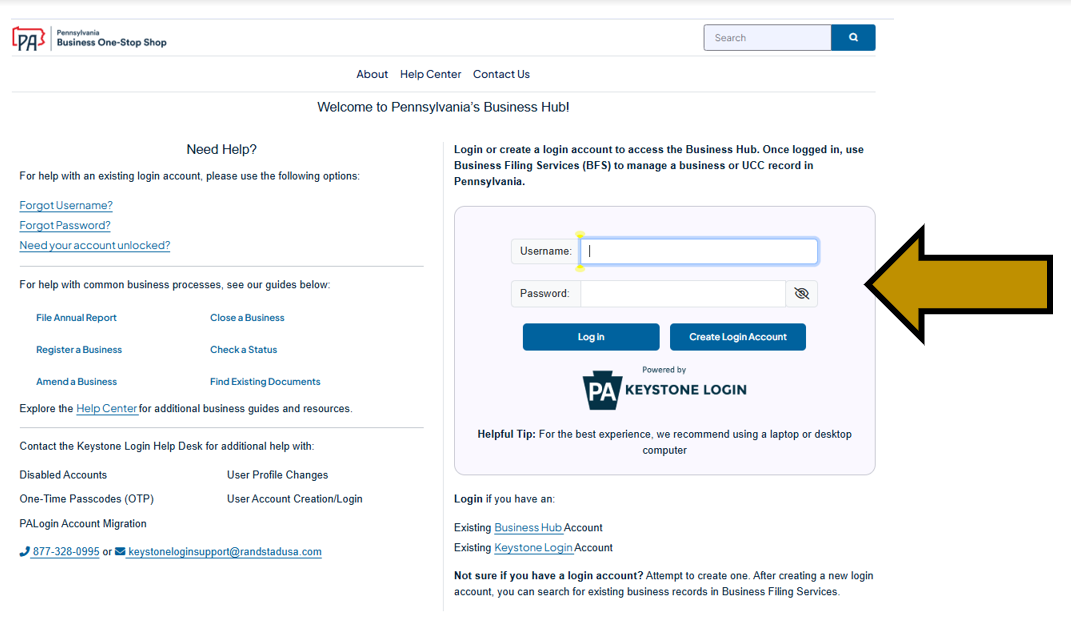
Step 1: Go to https://hub.business.pa.gov. Enter your username and password in the appropriate form fields. Click the Log In button. New users should click the Create Login Account button. For additional assistance with creating a new login account in the Hub, refer to the Create a Login Account in the Hub help guide. NOTE: The Business Hub uses Keystone Login to manage user login accounts. If you have an existing Keystone Login from any Commonwealth system associated with your email address, use your existing information to log in.
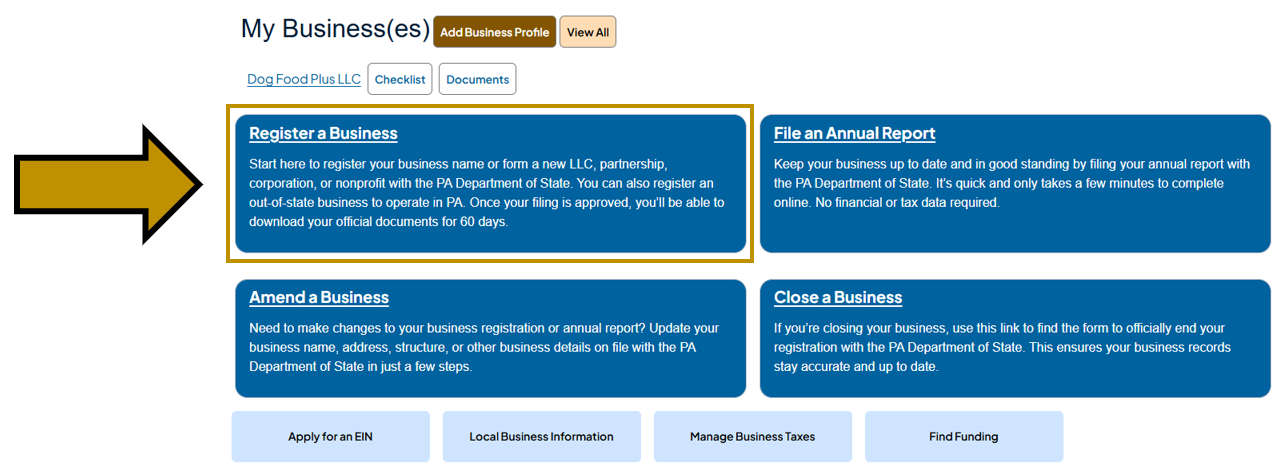
Step 2: Scroll down and under My Business(es), click the Register a Business link.
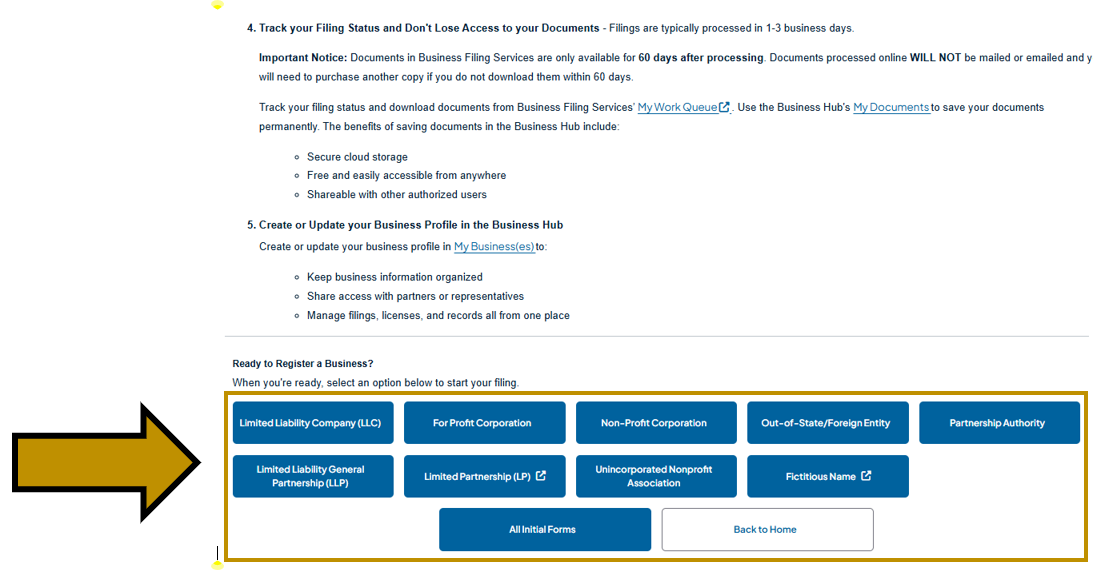
Step 3: At the bottom of the page, select the type of business you would like register or All Initial Forms to see additional options. After making a selection, follow the screen prompts to complete and pay electronically. NOTE: This will open in a separate tab.
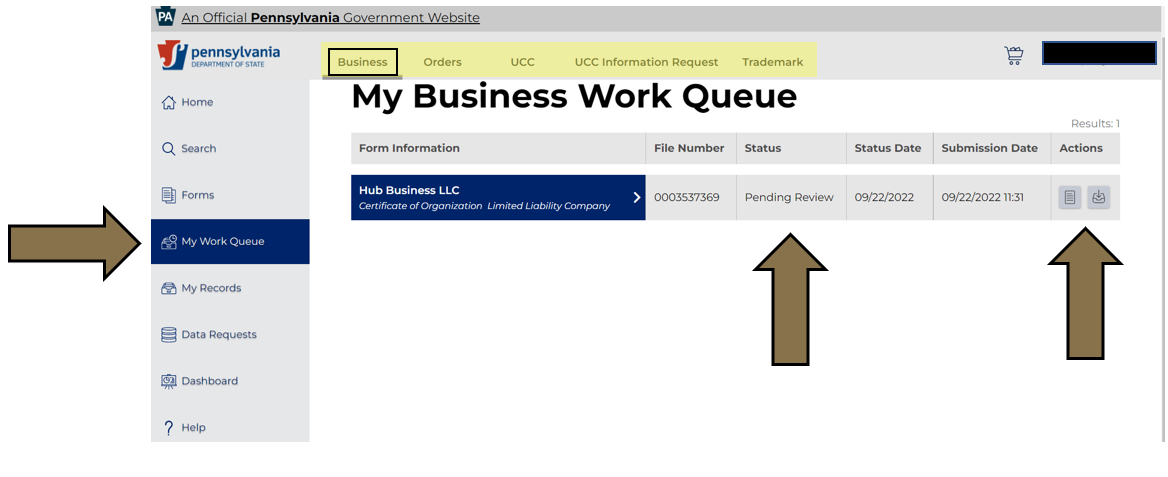
Step 4: View your status in My Work Queue. The example below is “Pending Review.” When the filing is approved, you can download the approved documents by clicking the View Downloads button in the Actions column. NOTE: Documents in the Work Queue will only be available for 60 days. If copies are needed beyond 60 days, they can be purchased for a fee. For additional assistance with purchasing documents, refer to the Purchase Business Documents in BFS help guide.
Revised 6/23/2026